How to Choose the Right Copier for Your Business
THE STRATEGIC IMPORTANCE OF A COPIER
Choosing the right copier is a significant strategic decision, not just a procurement task. The efficiency, productivity, and security of your daily operations rely heavily on your multifunction printer (MFP) or copier. An underpowered machine will cause bottlenecks and frequent repairs, while an over-specified machine wastes capital. This guide breaks down the essential factors to consider to ensure your investment perfectly matches your business needs.
STEP 1: ASSESS YOUR VOLUME AND SPEED NEEDS
The first and most critical step is understanding how much your office prints and how quickly it needs those documents.
Monthly Print Volume (MPV)
The MPV is the total number of pages your office prints, copies, and scans in a typical month.
- Low Volume: Less than 1,000 pages per month.
- Medium Volume: Between 1,000 and 10,000 pages per month.
- High Volume: Over 10,000 pages per month.
- A copier's specification includes its Maximum Monthly Duty Cycle (the absolute maximum it can handle) and the Recommended Monthly Volume (the realistic amount it should print). Always choose a machine where your MPV falls well within the recommended range to prevent wear and tear and premature failure.
Speed (PPM/CPM)
Speed is measured in pages per minute (PPM) for printing and copies per minute (CPM) for copying.
- Small Offices (1–10 employees): 20–30 PPM is usually sufficient.
- Mid-to-Large Offices (10+ employees): 40–50+ PPM is necessary to prevent long waits and line-ups at the machine.
STEP 2: IDENTIFY REQUIRED FEATURES AND FUNCTIONALITY
Modern copiers are multifunction devices (MFPs) that do much more than just copy. Determine which specific features are essential for your workflow:
Color vs. Monochrome
- Monochrome (Black & White): Sufficient if your primary documents are invoices, reports, or legal forms. Monochrome machines are generally cheaper to purchase and operate.
- Color: Essential for marketing materials, presentations, and client-facing documents where brand consistency and visual impact are necessary. Color printing significantly increases the cost per page (CPP).
Paper Handling and Finishing
- Automatic Document Feeder (ADF): Required for efficiently scanning or copying multi-page documents. Look for a Duplexing ADF to handle two-sided documents in one pass.
- Paper Capacity: Ensure the trays can hold enough paper to last through peak periods without constant refilling.
- Finishing Options: Do you need an integrated stapler, hole puncher, or booklet maker? These features can automate manual tasks but add to the machine's complexity and cost.
Security and Networking
- Network Compatibility: The machine must integrate seamlessly with your existing office network (Wi-Fi, Ethernet) and operating systems.
- Security Features: Essential for businesses handling sensitive data. Look for features like Secure Print (PIN required at the machine), User Authentication, and Data Encryption to protect stored job data.
STEP 3: ANALYZE TOTAL COST OF OWNERSHIP (TCO)
The purchase price is only part of the investment. For a true financial comparison, you must calculate the Total Cost of Ownership (TCO).
Acquisition Cost
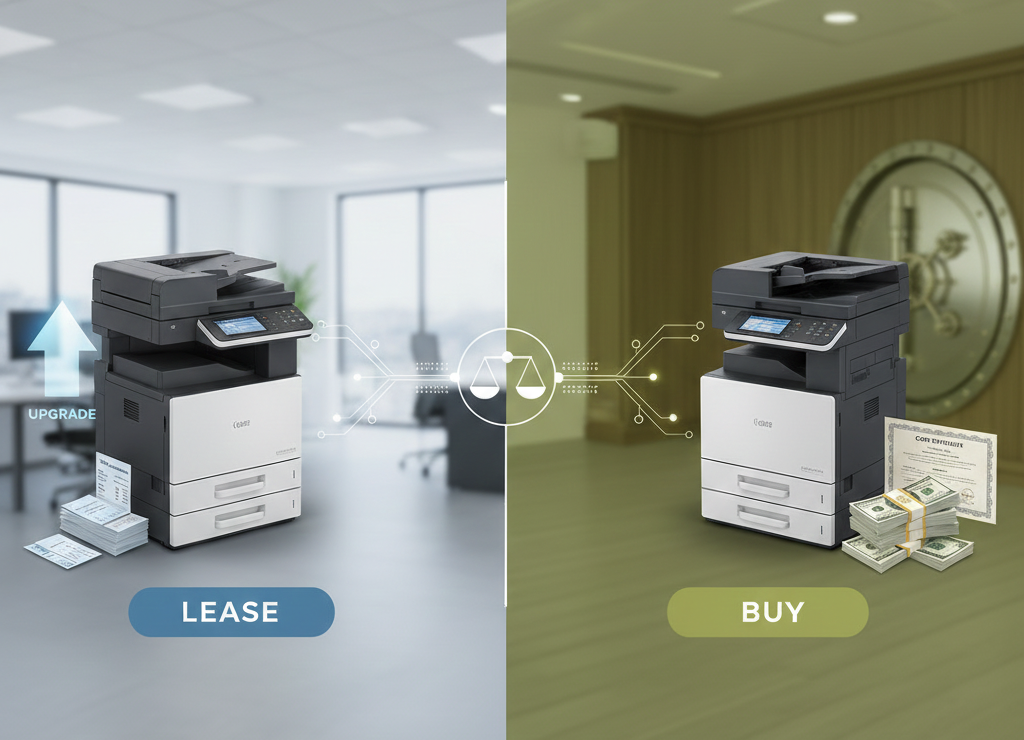
This is the upfront price if you buy the machine, or the sum of monthly payments if you lease. Leasing conserves cash but usually results in a higher overall TCO due to interest.
Cost Per Page (CPP)
This is the most critical long-term factor. It is calculated by dividing the cost of consumables (toner, drum, waste collection unit) by the number of pages they produce.
- A lower CPP is vital for high-volume offices, as savings compound quickly.
- Always compare the CPP of black & white vs. color printing.
Service and Maintenance
If you buy, you are responsible for maintenance and repairs. If you lease, the service contract is often bundled in, covering parts, labor, and sometimes toner. Ensure you fully understand the terms of any maintenance agreement, including response times and exclusions.
MATCHING THE MACHINE TO THE MISSION
Choosing the right copier involves balancing your immediate needs (speed, features) with your long-term financial strategy (TCO, lease vs. buy). Take the time to accurately measure your current print volume and project future needs. By prioritizing capacity and cost-per-page for high-volume environments, or prioritizing advanced features and compact design for lower-volume creative offices, you can select a copier that serves as a reliable asset for years to come.
You might also like